Built for Australian NDIS providers
 Including You
Features
Everything your team needs
to stay compliant
Purpose-built for NDIS providers, MyCaseNote covers every step of the case note lifecycle — from creation to approval and audit.
Approval Workflows
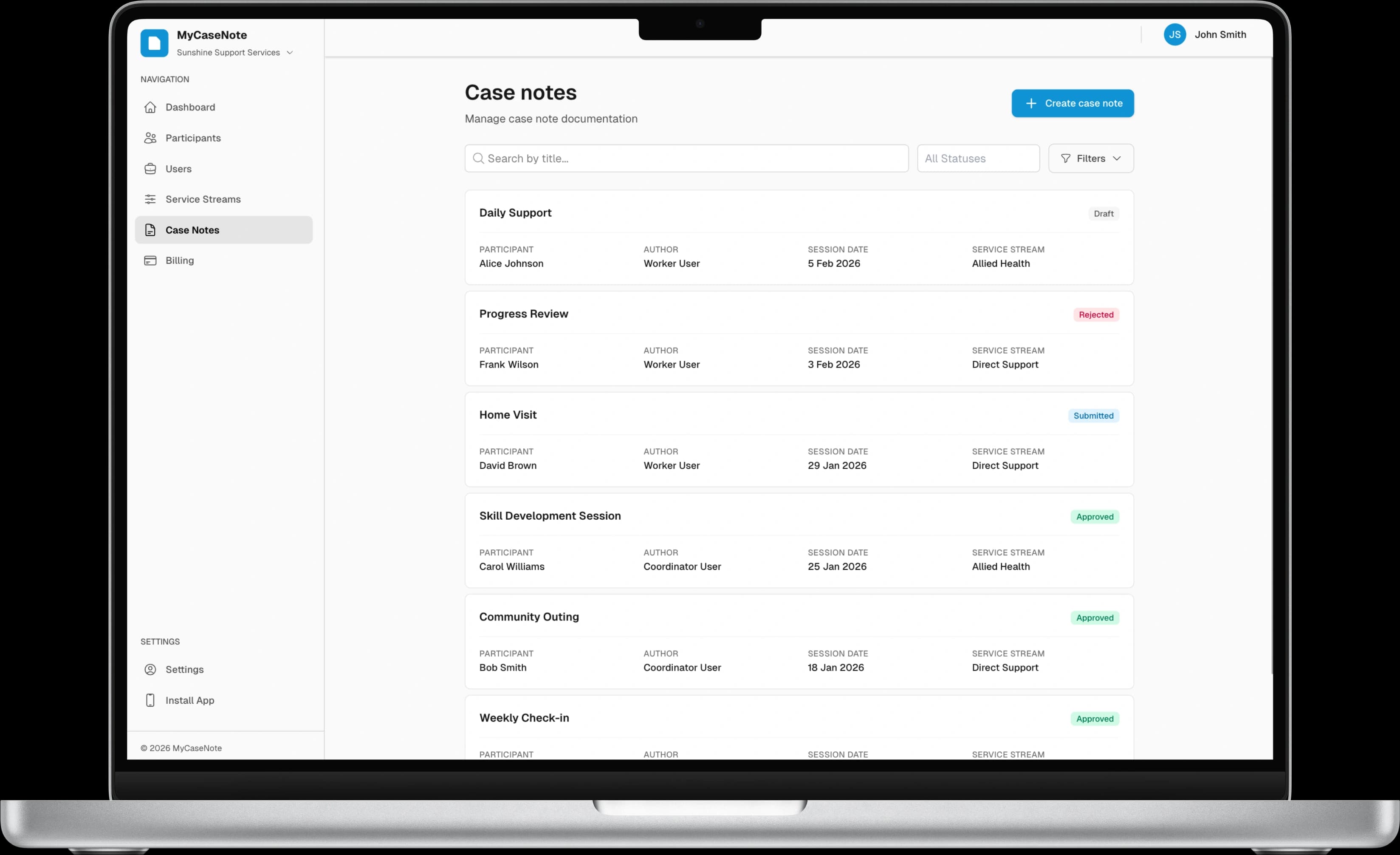
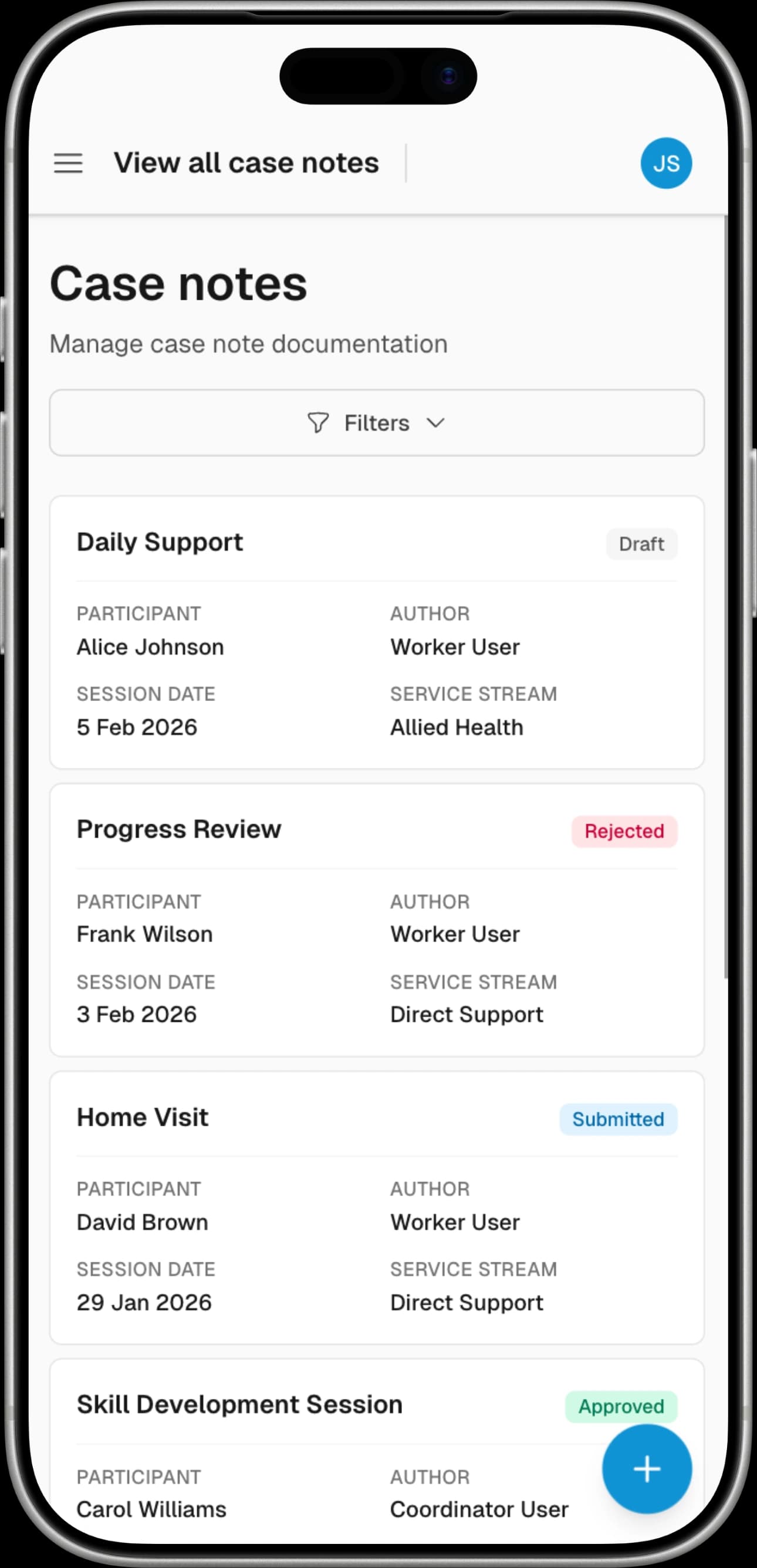
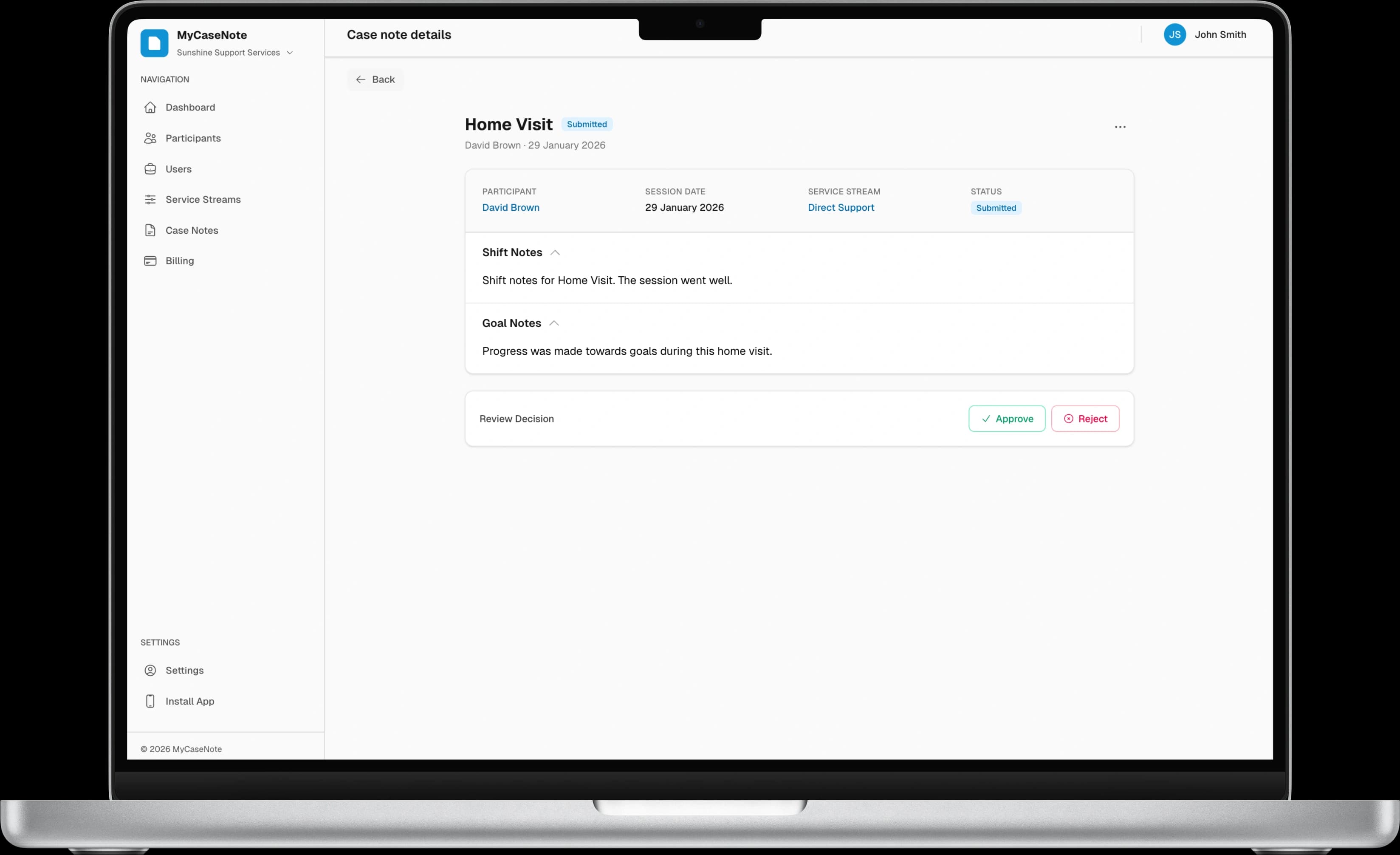
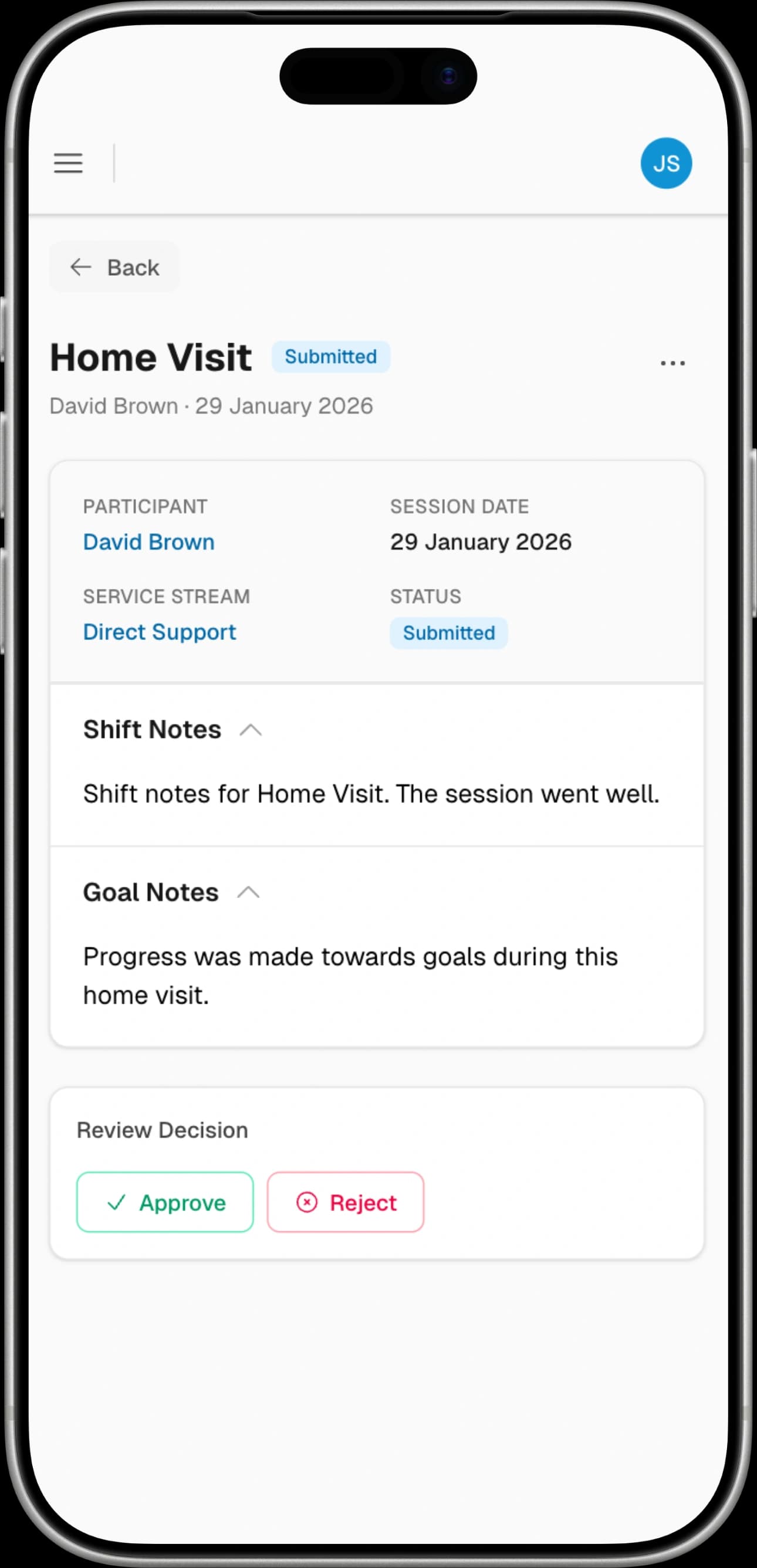
Case notes move from Draft → Submitted → Approved with clear status tracking. Coordinators review and approve with a single click, or reject with feedback.
Role-Based Access Control
Three distinct roles — Admin, Support Coordinator, and Support Worker — each with precisely scoped permissions. Restrict casual workers to assigned clients only.
Service Stream Segregation
Configure streams like Allied Health, Direct Support, and more. Control exactly which workers can view and create notes in each stream.
Multi-Business Support
Casual workers across multiple organisations switch seamlessly between businesses, each with independent roles, clients, and case notes.
Full Audit Trail
Every edit, submission, and approval is timestamped and attributed. Amendments are tracked separately so original notes stay intact for compliance.
Structured Documentation
Every case note captures shift notes, goal progress, and amendments in a consistent format — making audits straightforward and documentation reliable.
How It Works
Simple workflow,
compliant results
MyCaseNote mirrors the natural case note lifecycle used by NDIS providers, digitised and streamlined.
Worker documents the session
After a session, the support worker creates a case note with shift notes, goal progress, and selects the relevant service stream.
Save as draft or submit
Notes can be saved as drafts and revisited later, or submitted immediately for coordinator review.
Coordinator reviews & approves
Coordinators or admins review submitted notes, approve them with one click, or return them with feedback for revision.
Compliant, audit-ready record
Approved notes are locked with full attribution and timestamps — ready for any NDIS audit.
Testimonials
Trusted by support teams
across Australia
Hear from coordinators, workers, and admins who've streamlined their case note process with MyCaseNote.
“We used to chase case notes through email threads and spreadsheets. Now everything's in one place, and our approval turnaround has gone from days to hours.”
Jessica Mitchell
Support Coordinator
“The service stream permissions are a game-changer. Our allied health team can see the full picture while direct support workers stay focused on what's relevant to them.”
Daniel Park
Operations Manager
“As a casual worker across two services, I love being able to switch between businesses without logging out. My case notes stay clean and separate for each provider.”
Sarah Liu
Support Worker
Pricing
Simple, transparent pricing
No hidden fees. Start free, upgrade when you're ready.